 Click Allow to get more information on apkbbs Services for free!




Microsoft Authenticator
 4.7
4.7
About This APP


 Download Latest Version
Screenshots


Editor Reviews
In an era where digital security is of paramount importance, Microsoft Authenticator emerges as a reliable and feature-rich application that provides an added layer of protection to users’ online accounts. Released by Microsoft Corporation on January 13, 2015, Microsoft Authenticator has since gained a reputation as a robust two-factor authentication (2FA) app that bolsters security while maintaining ease of use. With its user-friendly interface and advanced security features, it has become a go-to choice for individuals and organizations seeking enhanced account protection.
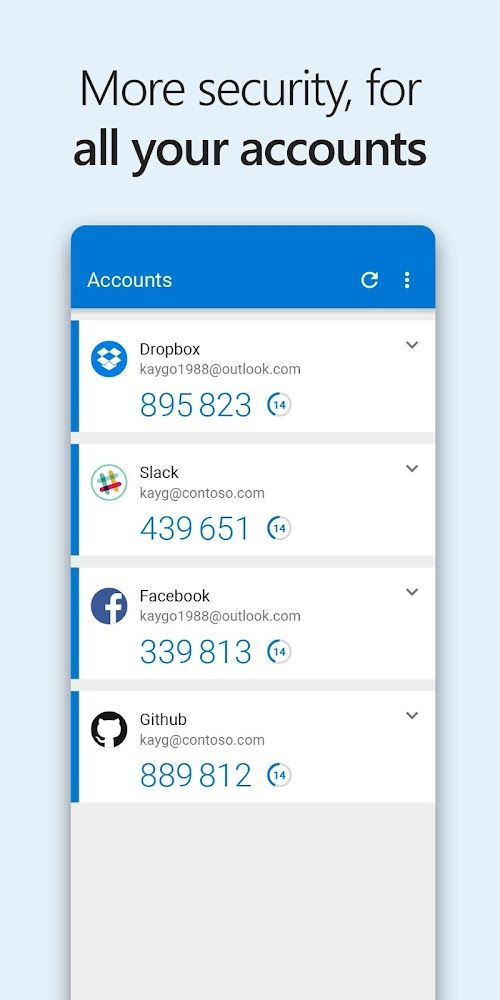
First and foremost, one of the primary features of Microsoft Authenticator is its support for 2FA. By enabling this feature, users can add an extra layer of security to their online accounts. It works by requiring a second verification step, such as a fingerprint scan, face recognition, or a time-based one-time password (TOTP), in addition to the traditional username and password. This robust authentication mechanism significantly reduces the risk of unauthorized access.
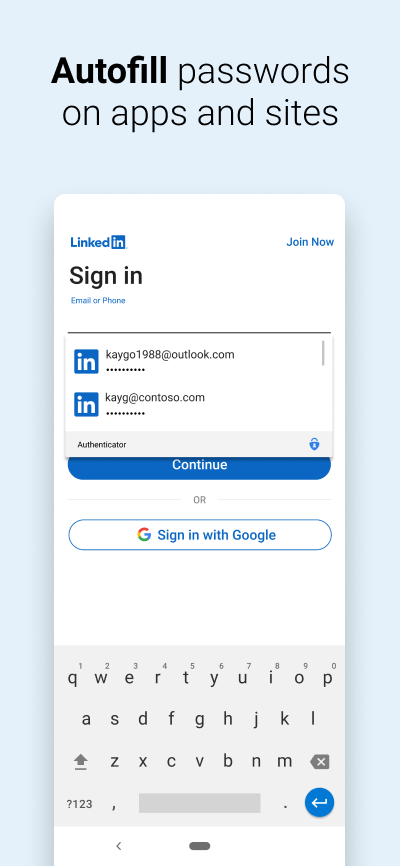
Moreover, Microsoft Authenticator allows users to manage multiple accounts from various services within a single app. This convenience eliminates the need to install separate authentication apps for different platforms, streamlining the user experience. Whether it is email, social media, or other online services, the app simplifies the authentication process, making it quick and hassle-free.
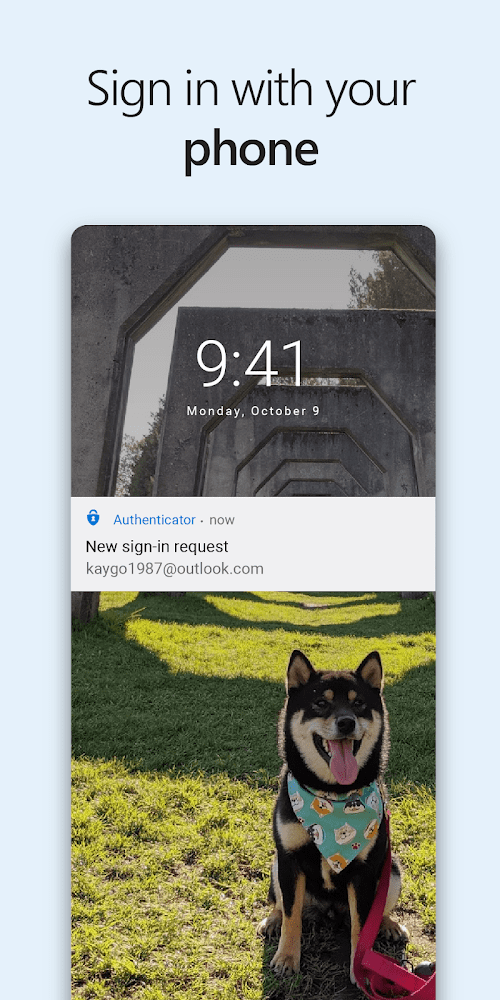
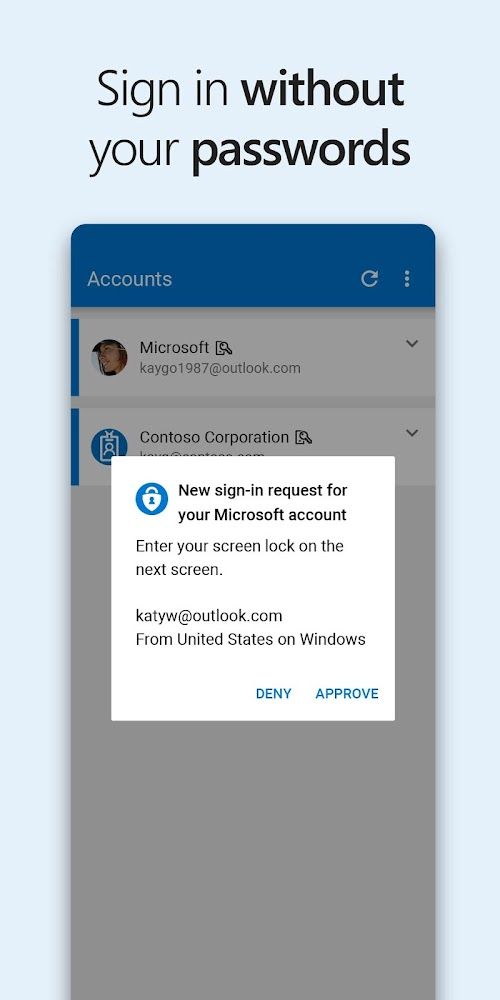
With its push notification feature, Microsoft Authenticator makes the authentication process effortless. Users receive real-time notifications on their mobile devices, allowing them to quickly approve or deny access requests. This functionality not only enhances security but also saves time, as it eliminates the need to manually enter verification codes.
Another notable feature of Microsoft Authenticator is its seamless integration with biometric authentication methods, such as fingerprint or facial recognition. Leveraging the capabilities of modern smartphones, the app allows users to authenticate themselves with a simple touch or glance. This technology ensures a high level of security while providing a frictionless user experience.
Features
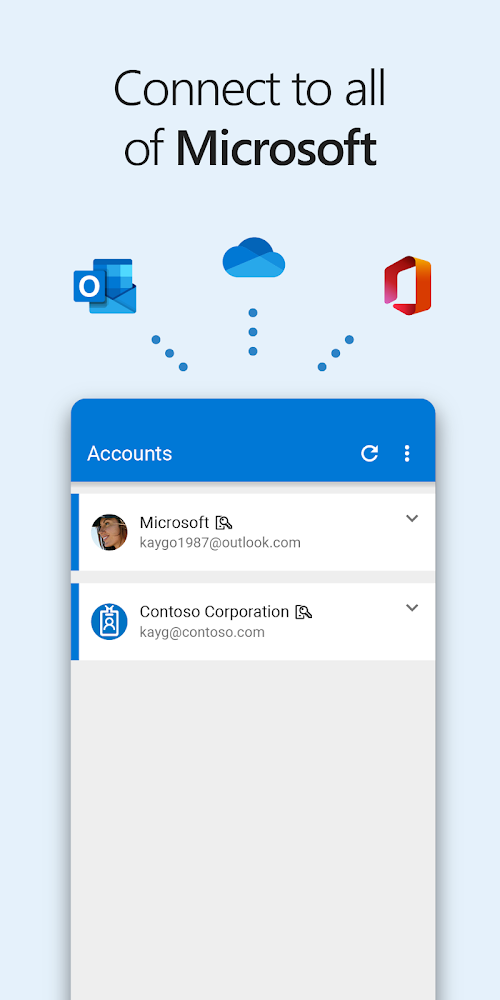
 The Microsoft Authenticator application provides a one-step sign-on process for Microsoft services such as Outlook, OneDrive, and Skype.
Once you log into your Microsoft account, the application generates a code that is specific to the device you are using.
Users do not need to manually enter codes generated by the app. Instead, they receive a push notification on their device, prompting them to authenticate the login attempt.
The app provides secure authentication, and the two-factor and multi-factor authentication options ensure that users’ accounts are protected against unauthorized access.
Microsoft Authenticator supports a wide range of accounts and platforms, including Google accounts, Azure AD, and Facebook, among others. As such, users can manage their accounts from different platforms with one app.
The Microsoft Authenticator application provides a one-step sign-on process for Microsoft services such as Outlook, OneDrive, and Skype.
Once you log into your Microsoft account, the application generates a code that is specific to the device you are using.
Users do not need to manually enter codes generated by the app. Instead, they receive a push notification on their device, prompting them to authenticate the login attempt.
The app provides secure authentication, and the two-factor and multi-factor authentication options ensure that users’ accounts are protected against unauthorized access.
Microsoft Authenticator supports a wide range of accounts and platforms, including Google accounts, Azure AD, and Facebook, among others. As such, users can manage their accounts from different platforms with one app.
Advantage
 Microsoft Authenticator employs industry-standard security protocols and encryption algorithms, ensuring the safety of users’ authentication data. Its support for 2FA and biometric authentication adds an additional layer of protection against unauthorized access.
The app boasts a straightforward and easy-to-navigate interface, making it accessible to users of all skill levels. Its streamlined design and straightforward setup process contribute to a pleasant user experience.
Microsoft Authenticator is available for both iOS and Android devices, catering to a wide range of users. This compatibility allows individuals and organizations to implement consistent and secure authentication across different platforms.
Microsoft Authenticator employs industry-standard security protocols and encryption algorithms, ensuring the safety of users’ authentication data. Its support for 2FA and biometric authentication adds an additional layer of protection against unauthorized access.
The app boasts a straightforward and easy-to-navigate interface, making it accessible to users of all skill levels. Its streamlined design and straightforward setup process contribute to a pleasant user experience.
Microsoft Authenticator is available for both iOS and Android devices, catering to a wide range of users. This compatibility allows individuals and organizations to implement consistent and secure authentication across different platforms.
Shortcoming
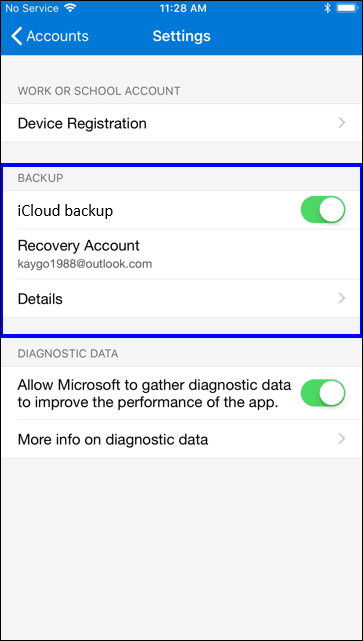
 While the app offers backup and recovery options, the process of restoring accounts on a new device can be cumbersome and may require additional steps. Improving the account recovery experience would enhance user convenience.
Microsoft Authenticator heavily relies on smartphones or tablets for authentication. Although this is the prevailing trend, users who do not own or prefer not to use mobile devices may find this limitation inconvenient.
The application relies on codes generated on specific devices, meaning if that device is lost, stolen or damaged, the user may experience difficulties accessing their account.
While the app offers backup and recovery options, the process of restoring accounts on a new device can be cumbersome and may require additional steps. Improving the account recovery experience would enhance user convenience.
Microsoft Authenticator heavily relies on smartphones or tablets for authentication. Although this is the prevailing trend, users who do not own or prefer not to use mobile devices may find this limitation inconvenient.
The application relies on codes generated on specific devices, meaning if that device is lost, stolen or damaged, the user may experience difficulties accessing their account.
 Scanned by
Virus Total
Scanned by
Virus Total
Ratings
-
5

-
4
-
3
-
2
-
1
Disclaimer
 APKBBS does not directly participate in application distribution and does not hold shares of
application developers directly.
We provide images and links included in Google Play and App Store to help our users find the best
applications and games. All merchant trademarks and logos displayed on the website are the property of
their respective owners. The website is not affiliated with or associated with any of them.
APKBBS complies with the Federal Digital Millennium Copyright Act (DMCA) by responding to suspected
infringement notices that comply with DMCA and other applicable laws.
Every APK file that may be downloaded from APKBBS.com is also secure.
APKBBS does not directly participate in application distribution and does not hold shares of
application developers directly.
We provide images and links included in Google Play and App Store to help our users find the best
applications and games. All merchant trademarks and logos displayed on the website are the property of
their respective owners. The website is not affiliated with or associated with any of them.
APKBBS complies with the Federal Digital Millennium Copyright Act (DMCA) by responding to suspected
infringement notices that comply with DMCA and other applicable laws.
Every APK file that may be downloaded from APKBBS.com is also secure.
Hot Apps
 4.4
4.4
 4.3
4.3
 4.2
4.2
 4.5
4.5
 4.3
4.3
 4.5
4.5
 4.8
4.8
 4.5
4.5
 4.5
4.5
 4
4
 4.1
4.1
 4.3
4.3

Amazon Alexa
Duolingo: language lessons

Geeni
Nextdoor: Neighborhood network

Police Scanner - Scanner Radio

Shazam

SiriusXM: Music, Sports & News
TextNow: Call + Text Unlimited

Yuka - Scan de produits
WhatsApp Messenger

Google Chat

OfferUp: Buy. Sell. Letgo.

Fitbit
Tubi TV

Afterpay - Buy Now. Pay Later

Wyze - Make Your Home Smarter

SHEIN-Shopping Online
Signal

MyChart